Manual approval
You can choose to manually approve posts before they are shown in a public feed. Some examples of rules you could use to determine whether a post requires approval are:
- Matching certain terms
- If the post contains images, a video or GIF
- If the post is a quote post
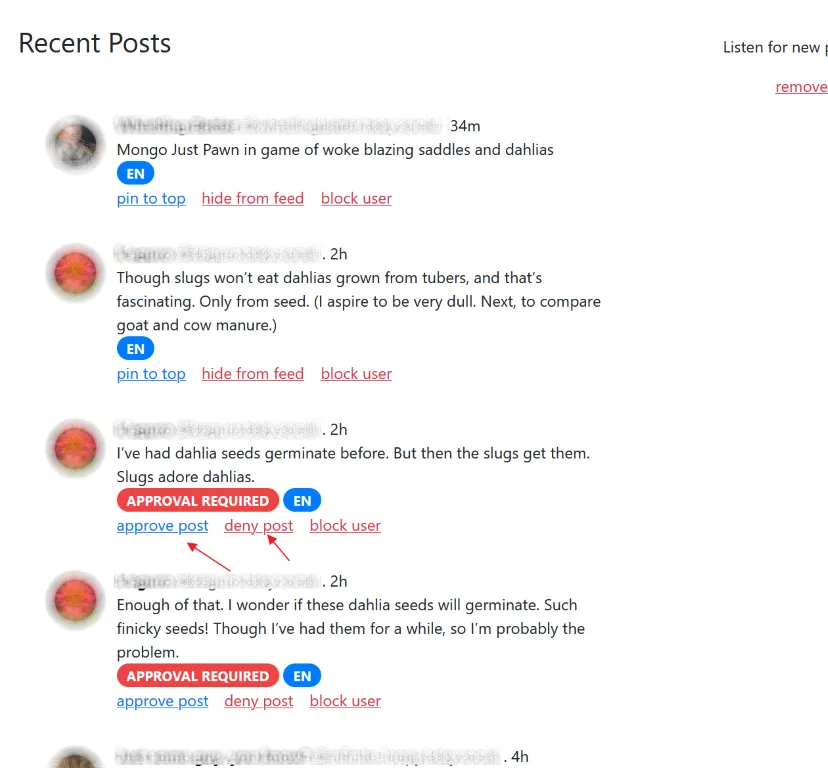
Posts which require approval will show up in the settings page for your feed, alongside all the automatically included posts. You can choose to approve or deny them.
Author history when approving
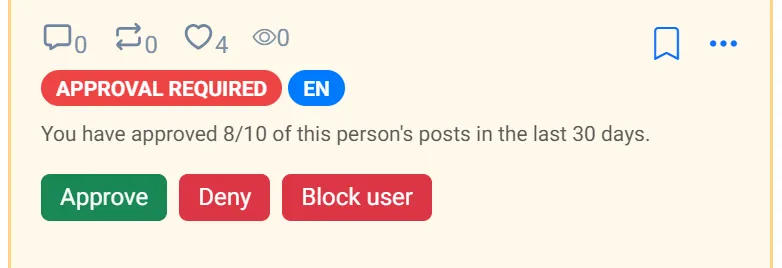
Section titled “Author history when approving”When a post is waiting for approval, the posts list can show how often you have approved or denied that person recently (typically the last 30 days). For example:
- You have approved 1/2 of this person’s posts in the last 30 days.
- You have denied 2/3 of this person’s posts in the last 30 days.
The same line also appears in the approve dialog, so you can decide whether to approve only this post or allow the user more broadly. The helper only appears when you already have at least one prior approve or deny for that poster on the feed.
Manual exclusions
Section titled “Manual exclusions”Similar to ‘Manual approval terms’, but these are run AFTER a post has already been captured by the feed using the inclusion terms. If the post matches any of these additional terms, then it will be marked as requiring approval instead of being excluded or included immediately. You can think of this as “double check if a post comes in to my feed with any of these terms”