Check for AI
Check for AI runs AI-generation likelihood scores on a single post already in your feed. Use it when you want a quick read on one post—not to change feed rules automatically.
Open it from any captured post’s ⋯ menu and choose Check for AI.
What it checks
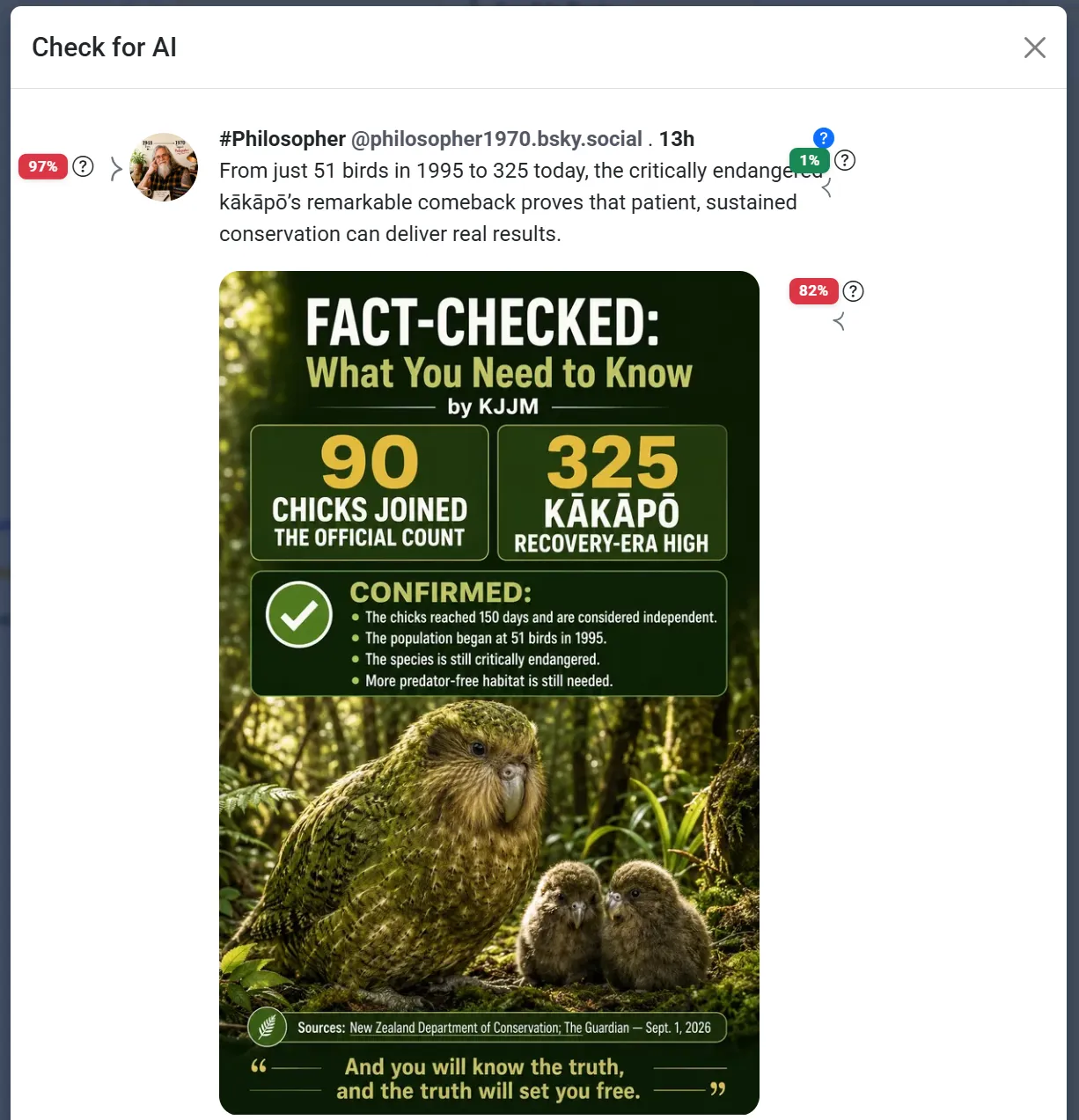
Section titled “What it checks”When the dialog opens, we score the same signals used by Auto Moderator’s AI detection rules:
- Post text — AI-generation likelihood for the text in this post.
- Author profile — the highest score among:
- the average of the author’s recent posts (up to 10, text only, reposts excluded),
- the author’s bio, and
- the author’s profile picture.
- First image — AI-generation likelihood for the first image attached to the post (if any).
Checks run in the background and usually take up to a minute. You can Stop a run in progress.
Reading the results
Section titled “Reading the results”Scores appear on the post preview in the dialog:
- A percentage badge next to the profile picture, post text, and first image (when present).
- While loading, badges show ---% with a short animation.
- When finished, badges show 0–100% with colour:
- Green — lower likelihood (under 40%)
- Amber — moderate (40–69%)
- Red — higher (70% and above)
Tap or hover the ? beside a badge for a breakdown (for example, bio vs. avatar vs. individual recent posts).
Important: These scores are signals for moderation, not proof that content is or is not AI-generated. Use them alongside your own judgment.
Plan availability
Section titled “Plan availability”| Feature | Free | Standard | Premium |
|---|---|---|---|
| Check for AI on a single post | — | ✓ | ✓ |
| Automatic AI detection rules (capture toggles) | — | — | ✓ |
On Standard and Premium (and during a free trial with Advanced capture toggles), Check for AI runs as soon as you open the dialog.
On Free, the dialog explains the feature; upgrade to Standard or Premium to run checks on posts.
Automatic AI detection on your feed
Section titled “Automatic AI detection on your feed”Check for AI is a manual, one-off check. To apply AI scores automatically as posts are captured, use the AI detection capture toggles in feed settings (AI-generated images, AI-generated post text, Author overall profile score). Those rules require Premium.
See AI detection for the full list of AI detection capture toggles.
- Very short post text may be skipped (below the minimum length for scoring). The breakdown tooltip explains when something could not be scored.
- Posts without images only show profile and text scores.
- Re-running Check for AI on the same post may be faster when the post was recently loaded elsewhere in the app (cached Bluesky data).